Save any web page as beautiful Markdown
Keep the whole page, just the article, or only the parts you pick. Clean, readable .md files with front matter, tables and code blocks, saved straight to your computer.
Works in Chrome, Edge, Brave and other Chromium browsers.

You won't always want the full page. Choose how much to keep every time you save.
Just the article body. Navigation, sidebars, ads, share bars and comments are left behind.
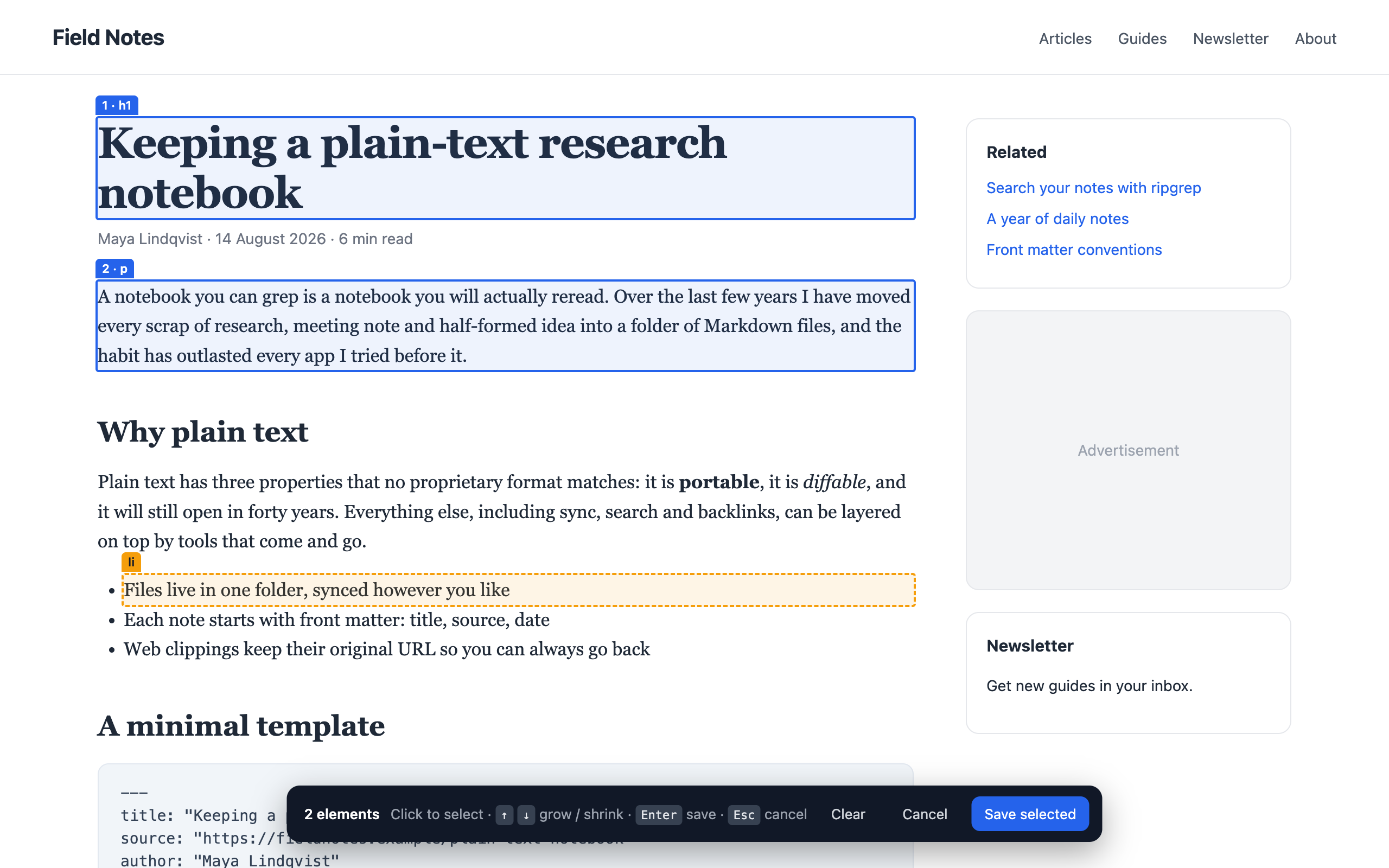
Click the blocks you want on the page, in any combination. They're saved in page order.
Everything visible on the page, converted in one go.
Highlight some text, right-click, and save just that passage.
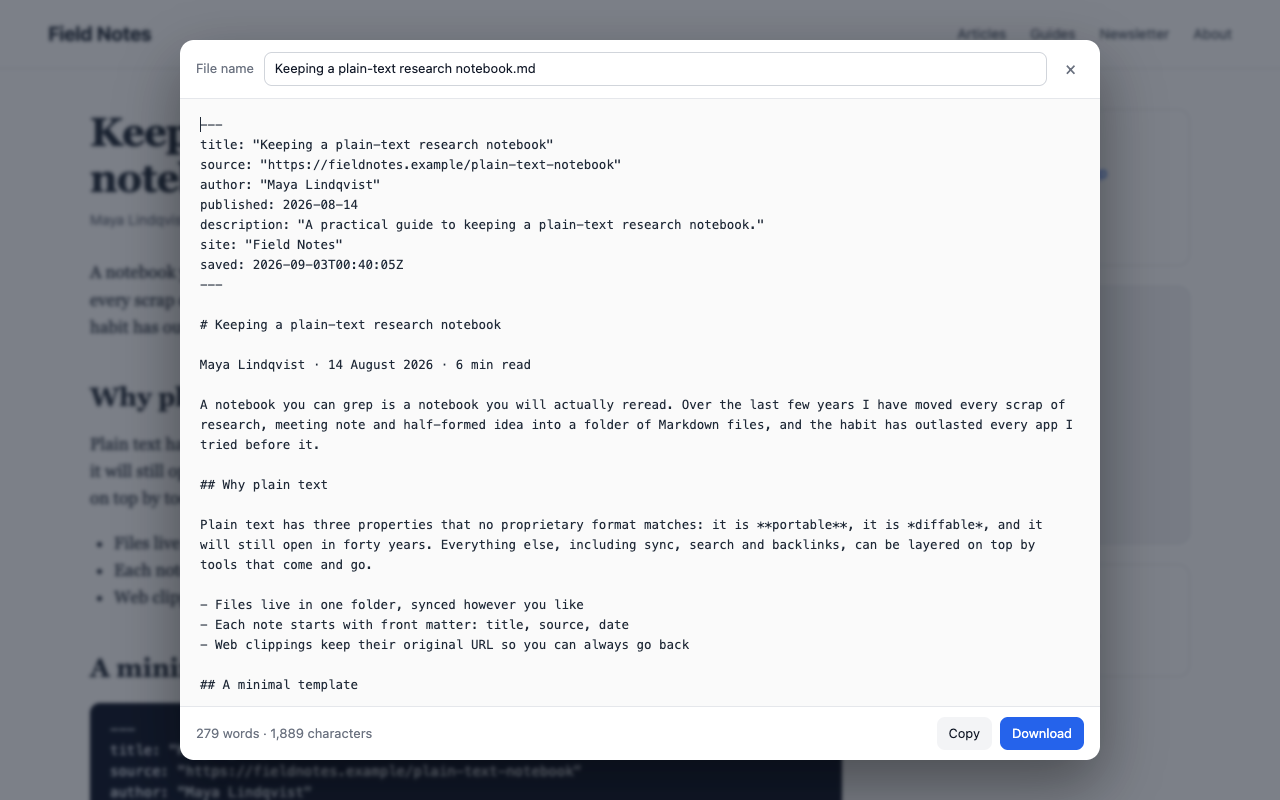
Not just something that renders. Files you'll be happy to open in any editor, notes app or Git repo.
--- title: "Keeping a plain-text research notebook" source: "https://fieldnotes.example/plain-text" author: "Maya Lindqvist" published: 2026-08-14 --- # Keeping a plain-text research notebook A notebook you can grep is a notebook you will actually reread. ## What goes where | Folder | Contents | Review | | --------- | ------------------------ | ------ | | inbox/ | Unsorted clippings | Daily | | projects/ | One folder per project | Weekly |
Three steps, a few seconds.
Install from the Chrome Web Store, then pin it from the puzzle-piece menu so it's one click away.
Click the icon and pick a mode, or press Alt+Shift+M (Option+Shift+M on a Mac) to start picking elements.
Check the Markdown, rename the file if you like, and download it or copy it.

Free, private, and ready in seconds.
Need IT help too? See our IT services →