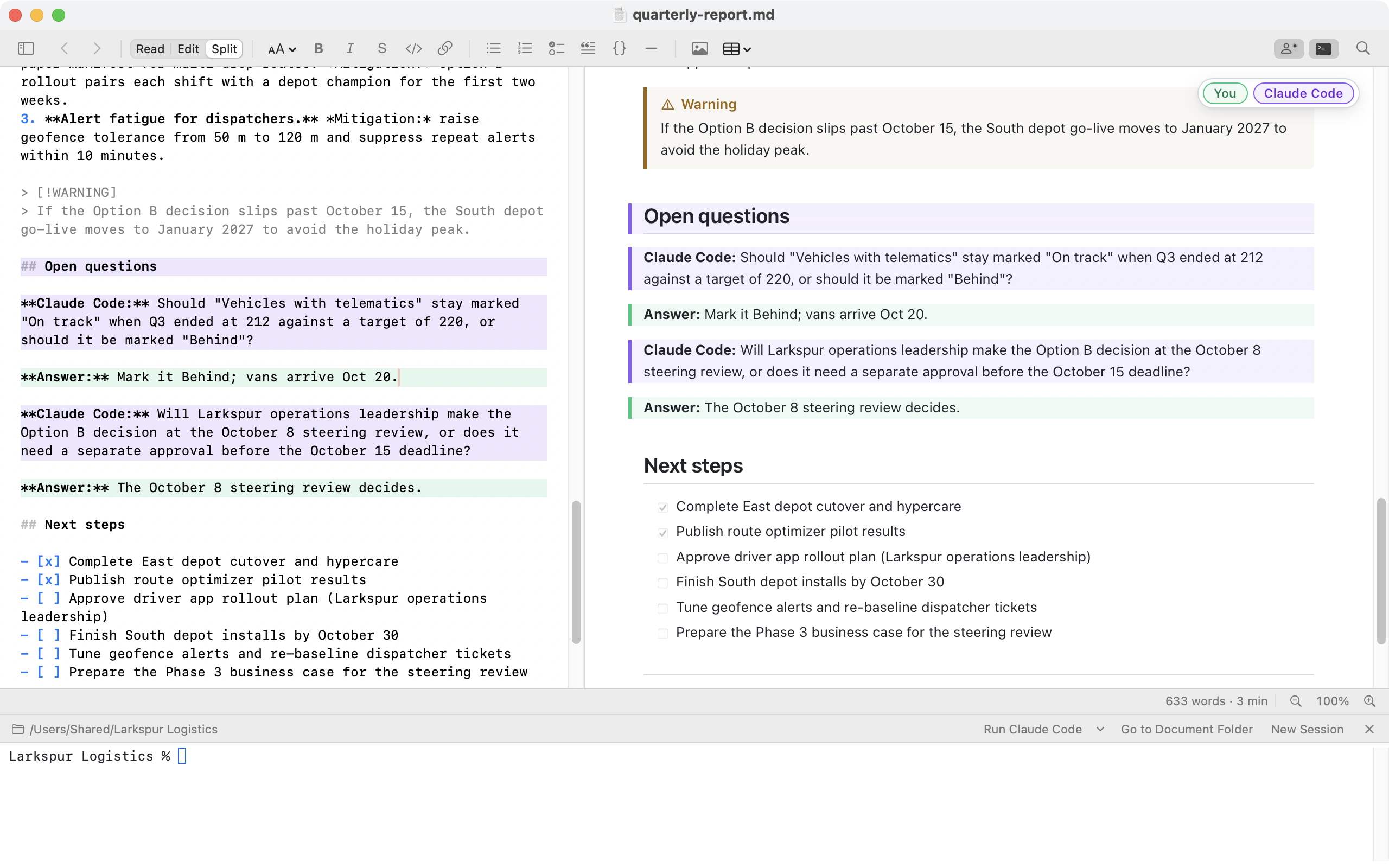
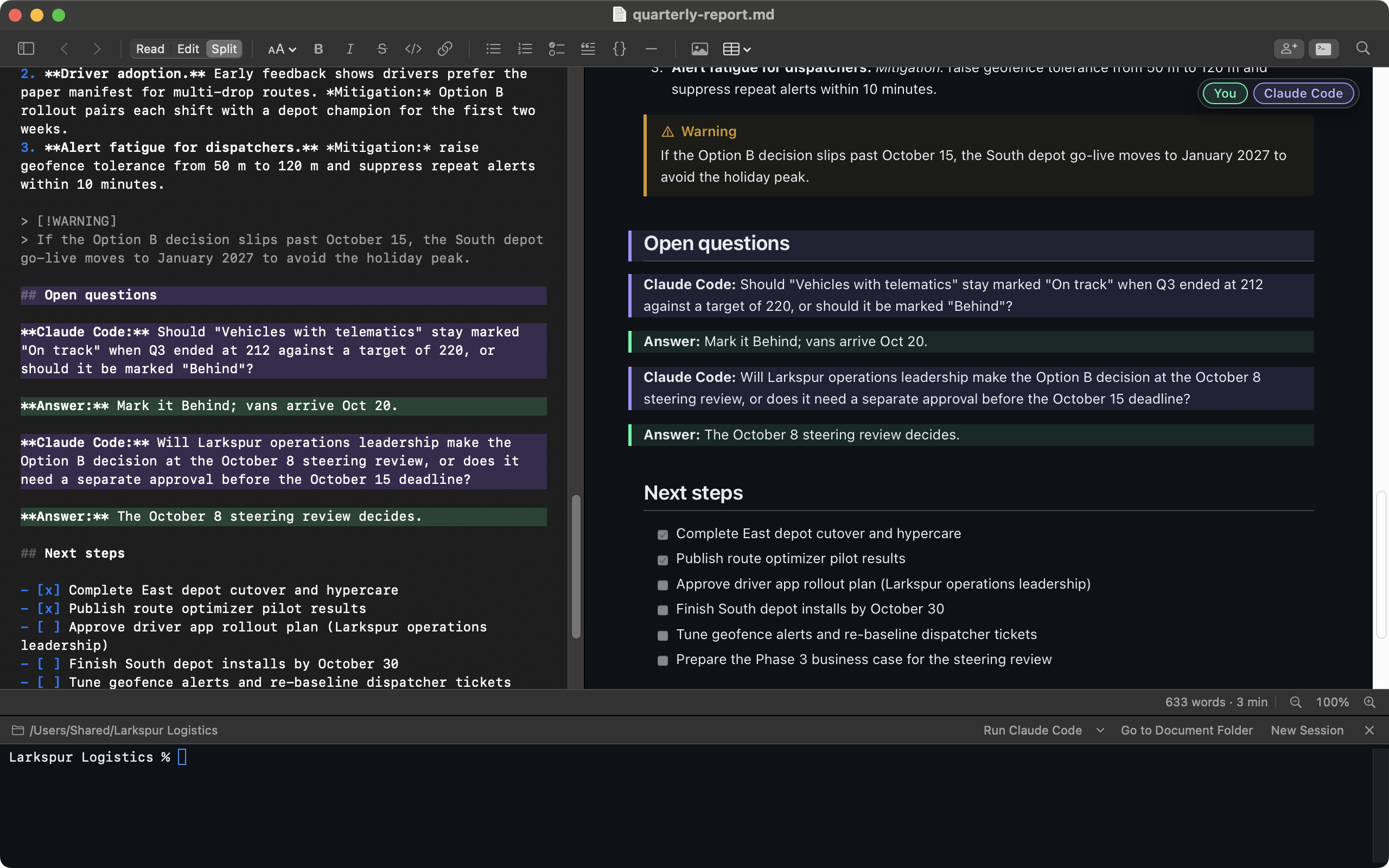
Your document and your AI agent, in one window.
Markdown Pro puts Claude Code, Codex, Gemini CLI and other AI agents in a terminal under your document. Watch the page update as the agent writes, answer its questions right in the document, and see who wrote what. Plus a live-preview editor and branded PDF, HTML and Word export. $29 once, for Mac, Windows and Linux.
$29 one-time · Mac, Windows and Linux · up to 5 devices · 14-day free trial, no sign-up

Open the terminal under your document — the Terminal button in the toolbar, View ▸ Show Terminal, or Ctrl+` (⌃` on the Mac). It's already in the document's folder. The Run button starts the agent you used last; its ▾ menu lists the agents you have installed — Claude Code, Codex CLI, Gemini CLI, GitHub Copilot CLI, Cursor CLI, Aider, OpenCode, Amp, Goose or Qwen Code — and links to install instructions for the others. Ask for a draft or an edit, and the document reloads, formatted, each time the agent saves. When the agent needs a decision, have it write its questions into the document and answer them right there. If the agent saves while you're typing, the app asks before it replaces anything.
Each agent is a separate product that you install and sign in to yourself, under its maker's terms. Markdown Pro doesn't include one and doesn't send it anything.
The names of the AI agents mentioned here may be trademarks of their respective owners. Markdown Pro isn't affiliated with or endorsed by them.

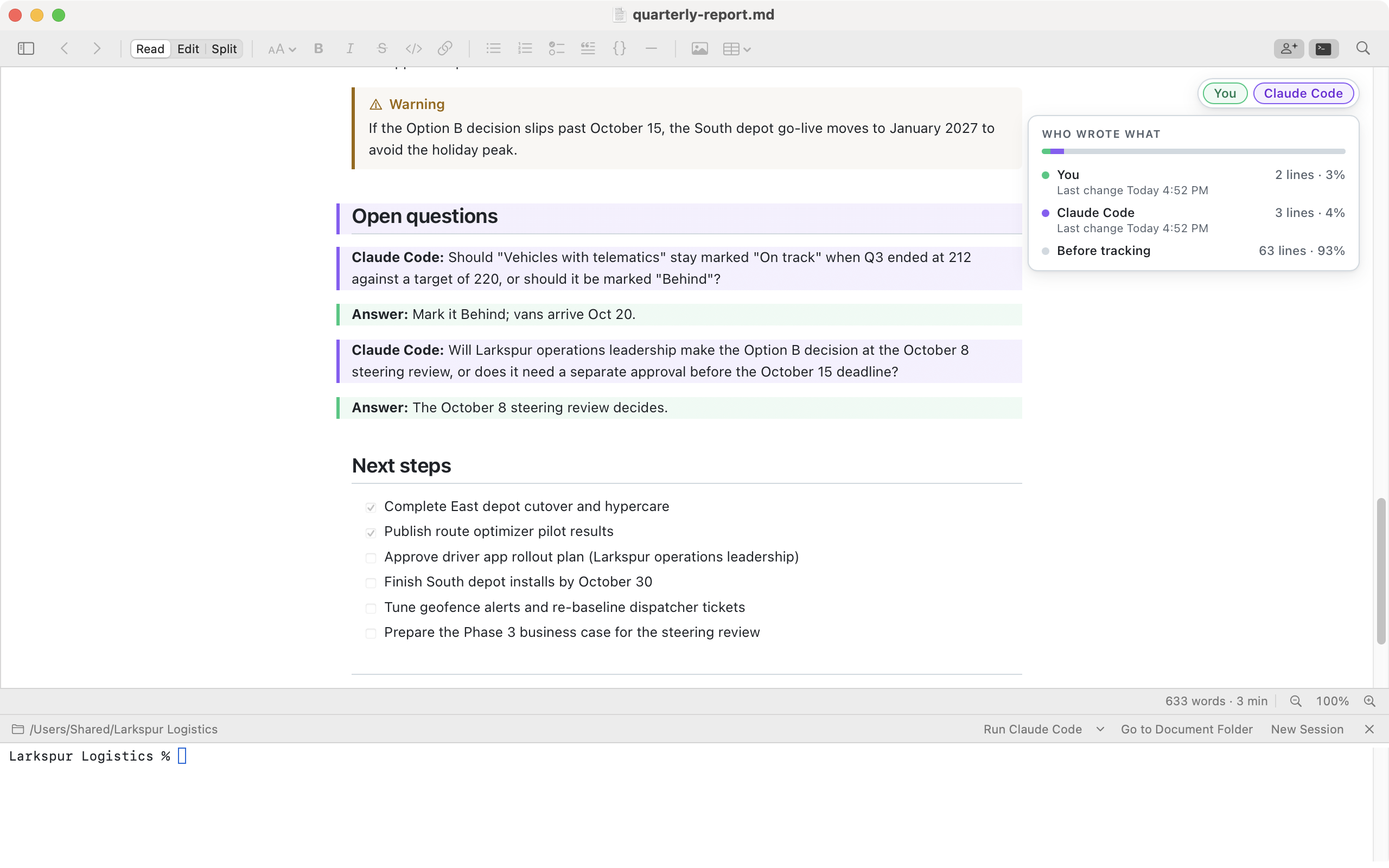
Every line is credited to its author: you in mint green, the AI agent running in the window's terminal in violet (under its name), and changes from anywhere else in amber. Colleagues who also use Markdown Pro appear under their own names in their own shades. Hover a paragraph for who changed it and when; click the legend for each author's share. Toggle the colors with the Authorship button in the toolbar, next to Find. The history lives in a small file next to your document, works the same on Mac, Windows and Linux, never appears in prints or exports, and never leaves your computer.

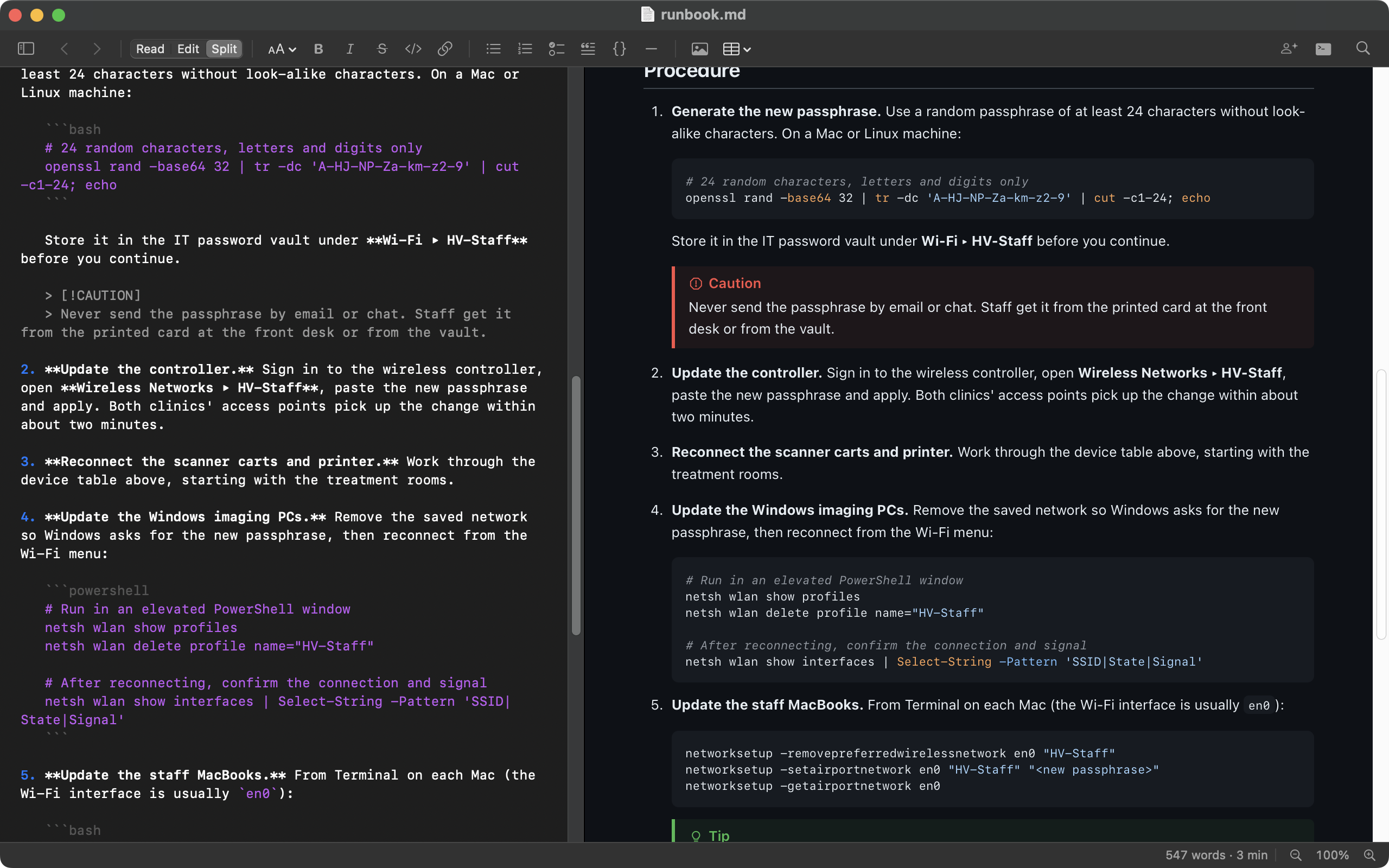
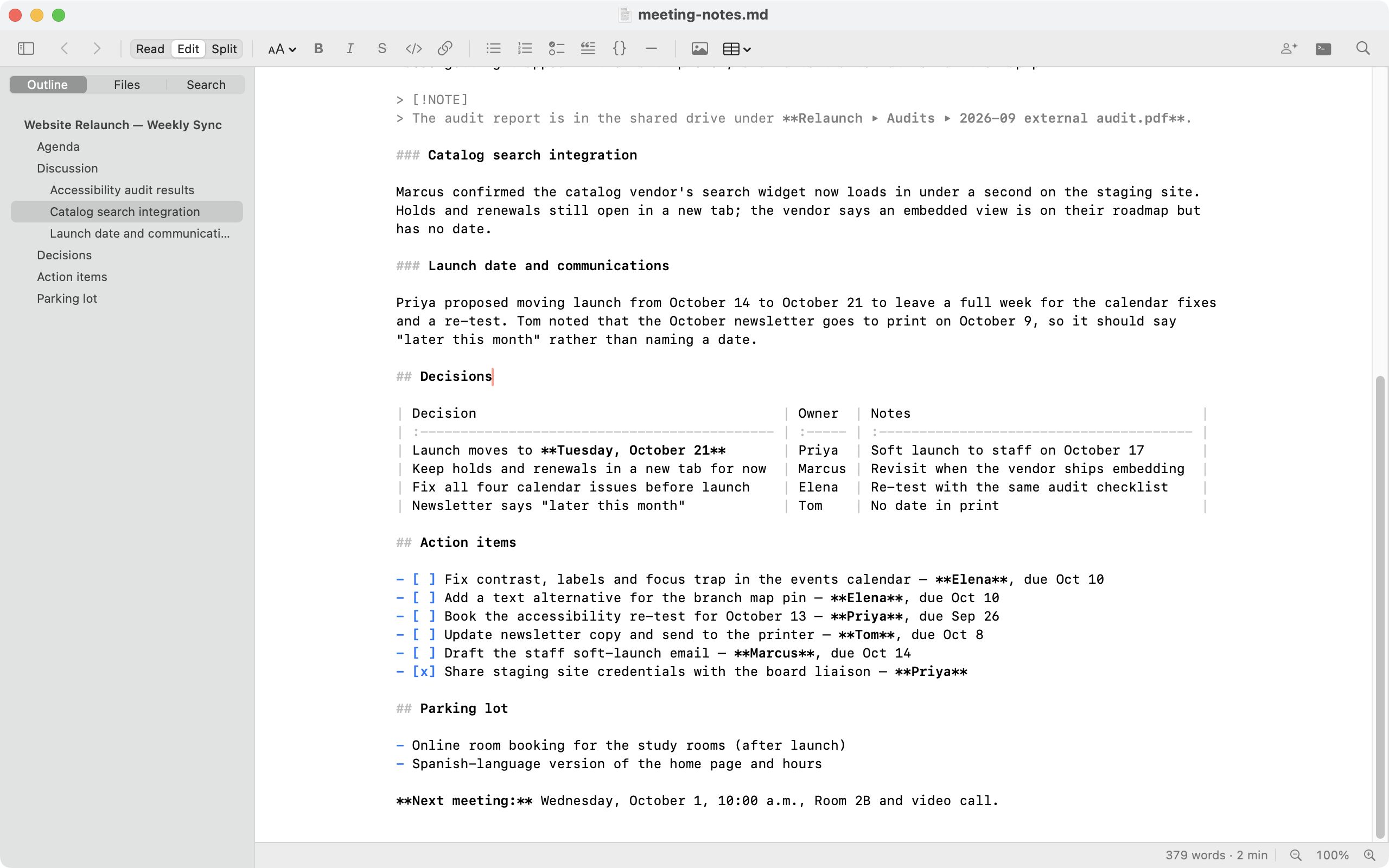
Read, Edit and Split views, one keystroke apart, with a formatting toolbar and Format menu for headings, lists, links, images and tables.

Tab between cells and the columns line up. Add rows and columns or change alignment from the Table menu.

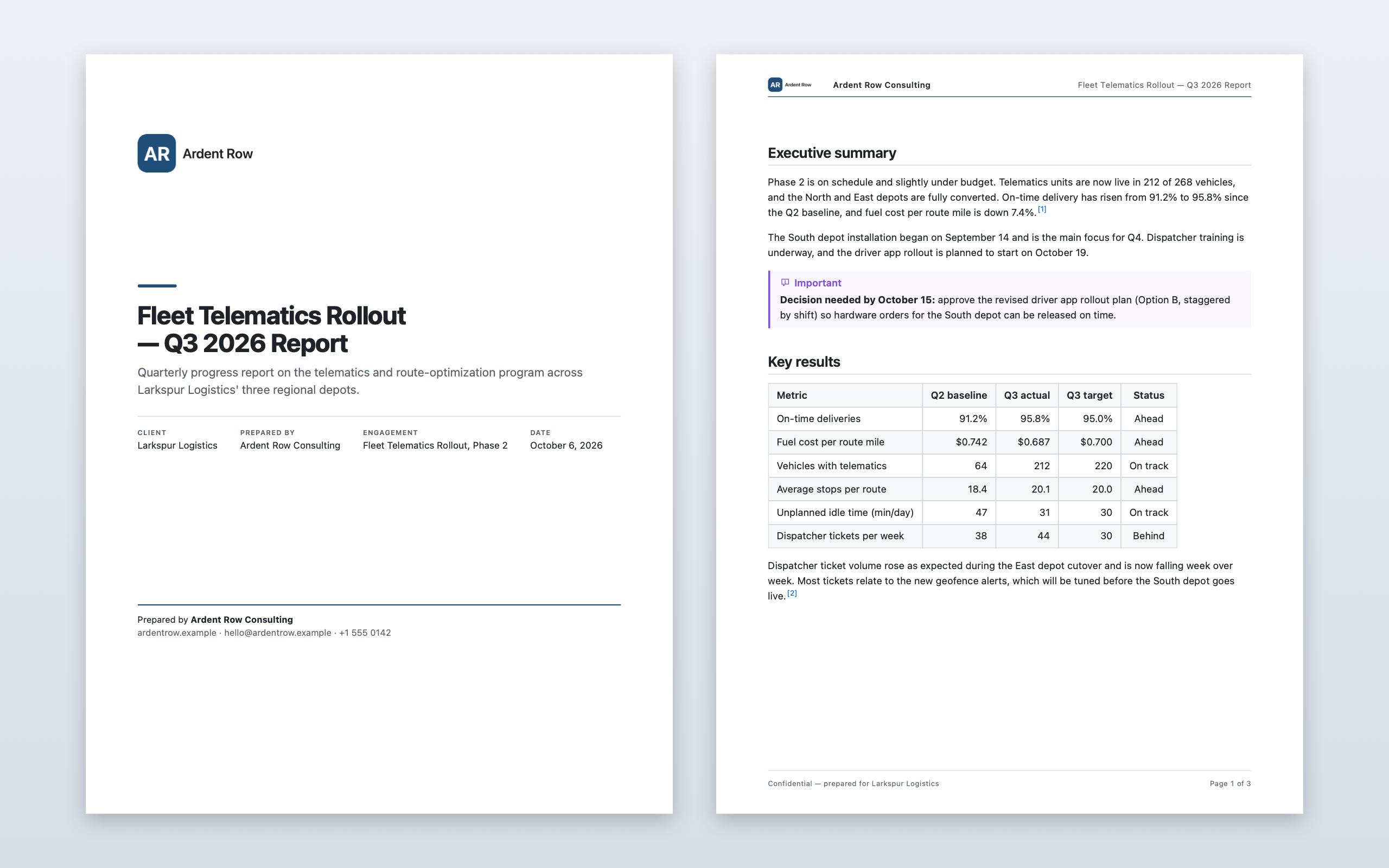
Your logo, organization, accent color and contact details on a cover page, with a logo header and page numbers.

Five built-in templates — meeting notes, project report, incident summary, checklist and proposal — or save your own.
Paste or drag images straight into the editor. Find and Replace across the document. Spell check on the Mac; line numbers on Windows and Linux.
Export as HTML or Word (.docx) with Mermaid diagrams included, or email the document as formatted text or a PDF attachment.
Markdown Pro keeps running after you close the last window — in the Dock on the Mac, in the notification area on Windows, in the background on Linux.
$29 one-time · Mac, Windows and Linux · up to 5 devices
Download Markdown Reader, then choose Upgrade to Markdown Pro… in the app. No sign-up, no payment details.
Need IT help too? See our IT services →